

 (1 votes, average: 4.00 out of 5)
 Loading...









Play Orbit Beats online for free, a high-energy rhythm game that will test your reflexes and timing to the max! Imagine yourself controlling a tiny orb pulsing through space, jumping between circular tracks to the beat of awesome music. It is a thrilling challenge where one wrong move ends your run, making it perfect for players who love fast-paced action and catchy tunes. The visuals are clean and colorful, making every level feel like a mini light show on your screen.
As you master each track, you will find yourself collecting nodes and unlocking new patterns that keep the excitement going. Whether you're playing on a phone, tablet, or computer, Orbit Beats is packed with rhythmic challenges and satisfying gameplay that rewards your focus. The further you go, the more intense the music gets, pushing you to beat your previous high score with every new attempt.
Are you ready to find your rhythm and conquer the orbits?
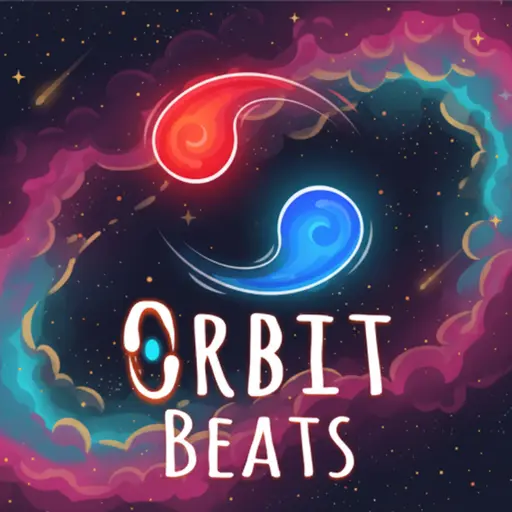
Everything You Need to Know About Orbit Beats
Orbit Beats is an addictive rhythm-based arcade game where players must navigate between concentric circles. It was initially released on June 15, 2023 and has since gained massive popularity among fans of music and reaction-based games for its simple yet deep mechanics.
The game was developed by KintoGames, a company known for creating minimalist yet highly engaging titles that focus on core gameplay loops. Whether you're playing on a desktop, tablet, or mobile phone, Orbit Beats has been crafted to provide a seamless experience where the audio and video are perfectly synced.
With its vibrant neon aesthetics and pulse-pounding soundtrack, Orbit Beats remains a popular choice among kids and players of all ages who enjoy testing their coordination and concentration!
Orbit Beats Gameplay
| Aspect | Description |
|---|---|
| Difficulty | Orbit Beats is easy to learn but hard to master! It starts with slow, steady rhythms and gradually introduces faster beats and complex obstacles. |
| Objective | Your main goal is to switch between orbits at the right time. Key skills needed for success include rhythm recognition and quick finger movements. |
| Progression | As you advance, you unlock new songs and visual themes. Special mechanics like speed boosters and gravity flips appear in later stages. |
| Gameplay Mechanics | The core mechanic involves a single-button control to jump tracks. Collectibles along the path boost your score and provide temporary shields. |
| Advanced Gameplay | Advanced levels feature multi-layered orbits and disappearing tracks. Player success is directly tied to their ability to anticipate the beat. |
Available on All Devices
Enjoy the game directly in your web browser, accessible on desktops, laptops, tablets, and mobile devices.
How to Play Orbit Beats?
In Orbit Beats, your main goal is to stay alive by jumping between circular orbits to avoid hitting incoming red walls or obstacles. You control a small glowing orb that moves automatically along a track. You must click or tap at the exact moment to hop to the inner or outer ring to stay safe.
As the music progresses, the speed increases and the obstacles become more frequent. Along the way, you can collect small glowing bits that add to your total score. If you hit an obstacle, the round ends instantly, and you will have to restart the track from the beginning.
The game ends when the song finishes or when you crash. Reaching the end of a track rewards you with progress points that help you unlock even more difficult songs and cool new skins for your orb!
Controls
Orbit Beats uses simple one-touch controls. Here's how you control your orb:
| Platform | Controls |
|---|---|
| On Computer: |
|
| On Mobile: |
|
The controls are incredibly responsive, making it easy for anyone to pick up the game and start playing within seconds.
Helpful Tips and Strategies for Orbit Beats
Want to achieve better results in Orbit Beats? These simple and helpful tips will improve your timing and help you unlock cool rewards:
- Listen to the Beat: The obstacles appear in sync with the music, so use the rhythm to time your jumps.
- Focus on the Center: Keep your eyes near the center of the orbits so you can see obstacles coming from all sides.
- Don't Panic Click: Wait for the right moment; clicking too fast can lead to jumping right into an obstacle.
- Use Headphones: Audio cues are much clearer with headphones, giving you a better sense of the timing.
- Practice One Song: Master one track before moving to the next to build your muscle memory.
- Collect Carefully: Only go for score collectibles if it is safe; survival is more important than a few extra points.
- Watch Visual Pulses: The background often pulses to the beat, which can help if you lose track of the rhythm.
- Take Breaks: Your eyes can get tired from the fast motion, so rest to stay sharp.
Follow these tips and you'll be a rhythm master in no time!
Highlights of Orbit Beats
Orbit Beats is a unique musical journey, designed to be enjoyed by players of all ages. Here are the key features that make this game so engaging and fun:
- Dynamic Soundtrack: Every level features a custom-made track that fits the gameplay perfectly.
- Minimalist Graphics: Clean neon lines ensure that the game looks great without being distracting.
- Instant Feedback: The game responds immediately to your inputs, making success feel rewarding.
- Unlockable Content: Earn points to get new orb colors and trail effects.
- Progressive Difficulty: The game grows with you, providing a challenge for both beginners and pros.
- No Loading Times: The game starts almost instantly in your browser.
- High Replayability: Compete with friends to see who can survive the longest on the leaderboard.
- Simple Learning Curve: You only need one button to play, making it accessible for everyone.
These fantastic features make Orbit Beats the ideal choice for anyone who loves rhythm games and quick arcade challenges!
Game Details
| Developer | KintoGames |
|---|---|
| Release Date | June 2023 |
| Genre | Rhythm / Arcade |
| Platform | Web Browser (PC, Mobile) |
| Mode | Single-player |
Orbit Beats Online
- Easy Access: Play directly in your browser, no downloads needed.
- Cross-Platform Compatibility: Works on desktops, tablets, and mobile devices.
- Fast and Secure: Optimized for smooth gameplay on all major browsers.
- Instant Play: Start the game with just one click, no setup required.
- Modified Edition: Enjoy the game with improved performance and stability.
Orbit Beats for Free
Enjoy playing Orbit Beats for free right here on our website. This special version allows you to play online without any charges. No downloads are necessary, and there are no hidden fees or in-game purchases involved.
Everything within the game—including all music tracks and orb skins—is available completely free of charge. Players of all ages can dive into the fun without spending anything!
Furthermore, every game on our site is completely free to play. We are committed to providing entertainment without any limitations or costs. Simply choose a game and start playing instantly!
Can You Play Orbit Beats Unblocked?
Absolutely! You can play Orbit Beats unblocked anytime on our website Unblocked Games. Whether you're in school, at work, in class, or just taking a break, the game runs seamlessly with no restrictions.
There's no need to download anything or bypass any blocks. Just visit our site and start jumping between orbits instantly. It’s fast, safe, and works flawlessly on any device!
- Unblocked Games 76: A well-known site that provides a wide range of unblocked games, including the clean and enjoyable experience of Orbit Beats.
- Unblocked Games G+: A fantastic destination for accessing games often blocked on school networks. Orbit Beats is featured here for some quick and fun rhythmic challenges.
- Unblocked Games 6x: Offers a variety of safe, kid-friendly games. Orbit Beats is perfect for rhythm and reaction enthusiasts.
- Unblocked Games 66: Known for its large collection of accessible games. Orbit Beats is available here, letting you sharpen your skills anytime, anywhere.
- Unblocked Games 67: Offers games that require no download and play directly in the browser. Orbit Beats is listed in the arcade section for fun play.
- Unblocked Games 77: Features a robust selection of unblocked games, where you can enjoy Orbit Beats and its exciting challenges.
Orbit Beats on GitHub
Many players search for Orbit Beats GitHub versions to bypass restrictions that block access to the game at school or work. While GitHub may offer alternative versions, these can be complicated to use and are not always reliable.
With our website, Unblocked Games, you no longer have to worry about hunting down GitHub versions. Our version of Orbit Beats works seamlessly across all devices and networks. Whether you’re in class, at the office, or on a break, you can enjoy the full game online without any restrictions, downloads, or costs—absolutely free!
Orbit Beats Installation
Many Orbit Beats enthusiasts prefer downloading the game to their devices for an enhanced gaming experience compared to playing directly in the browser. Here’s how you can install it:
- If you're using an Android device, simply visit the Google Play Store and tap the install button to download the game.
- If you're on an Apple device, like an iPhone or iPad, go to the Apple App Store and press install to get the game on your device.
APK Orbit Beats
If you're on Android and can't find the game in the Google Play Store, no worries! You can download the Orbit Beats APK file from a trusted source and install it directly to your device without using the Google Play Store.
For those who prefer playing on a computer, you can download Orbit Beats for free from Steam. This option provides enhanced controls and graphics for an even better experience.
Orbit Beats Extension
Many fans of Orbit Beats prefer to play the game directly on their browser using a Google Chrome extension. This lets them start playing instantly without having to visit the website every time. Plus, some extensions allow you to play offline whenever you want. To download the Orbit Beats extension, click here.
Similar Games to Orbit Beats
Find More Games by Category
Common Inquiries About Orbit Beats
-
What is the concept of Orbit Beats?
In Orbit Beats, your goal is to survive the track by jumping between orbits to the rhythm of the music. -
How can I play Orbit Beats?
Use your mouse or touch controls to click or tap the screen, making your orb jump between circular tracks. -
Is Orbit Beats free to play?
Yes, you can play Orbit Beats for free directly in your browser. -
What platforms support the game?
You can play Orbit Beats on PC, Mac, Android, and iOS devices. -
Do I need to create an account to play?
No, you can start playing right away without an account. -
Is the game appropriate for children?
Yes, Orbit Beats is designed for players of all ages, with family-friendly graphics and music. -
Are there different levels of difficulty?
Yes, the difficulty increases as the songs get faster and obstacles appear more frequently. -
How can I move to the next level?
To progress to the next level, you need to survive until the end of the current song. -
Can I replay levels I've completed?
Yes, you have the option to replay any song at any time to improve your score. -
Is there a multiplayer mode?
No, Orbit Beats is a single-player experience focused on personal high scores. -
Any tips to help me succeed?
Focus on the rhythm of the music and try to anticipate the obstacles based on the beat. -
How can I get better at the game?
Regular practice and staying calm during fast segments will help you improve your reaction time. -
What should I do if the game is lagging?
Clear your browser cache or update your browser to the latest version for better performance. -
Can I play without an internet connection?
In the browser, an internet connection is required, but some mobile versions may support offline play. -
How can I earn bonuses?
You can earn score bonuses by collecting glowing nodes while moving between orbits. -
What happens if I lose?
You will have to restart the current song from the beginning. -
How frequently is the game updated?
The developers release updates periodically to add new songs and fix minor bugs. -
Can I personalize my orb?
Yes, you can unlock various colors and trails as you progress through the game. -
How do I unlock new songs?
New tracks are unlocked by completing previous songs or reaching certain score milestones. -
Can I save my progress?
Yes, your high scores and unlocks are saved automatically in your browser's storage.
Is Orbit Beats hard?
The game starts simple but becomes quite challenging as the music speed increases. It requires good timing and focus to master the later levels.
Can I use a controller for Orbit Beats?
Most browser versions support standard mouse and keyboard, but some platforms may allow controller mapping for jumping.
Final Thoughts
Orbit Beats offers a fantastic mix of music and action, designed to be enjoyed by players of all ages. It provides opportunities for improving reaction time and rhythm skills while being incredibly fun. The game is designed to be accessible and easy to play, making it a great choice for a quick break or a long gaming session.
With its compatibility across various devices and free-to-play access, Orbit Beats is suitable for everyone from kids to adults. The best part is that it’s completely free and available immediately, so you can start playing right away! Don't wait—dive in and start playing! Share the fun with your friends and challenge them to beat your scores. With practice, you'll become a rhythm master in no time!