

 Loading...








Play Text Twist 2 online for free, the ultimate word puzzle challenge that tests your vocabulary skills in the most exciting way possible. In this fast-paced game, you are given a jumble of letters, and your mission is to unscramble them to form as many words as you can before the timer runs out. It is super easy to learn but hard to master, making it perfect for kids and students who want to get smarter while having fun.
Whether you want to relax and practice your spelling or race against the clock to beat your high score, Text Twist 2 offers two amazing game modes tailored to your style. Whether you're playing on a phone, tablet, or computer, Text Twist 2 is packed with thousands of challenging words, cool sound effects, and brain-teasing levels that keep you coming back for more.
Do you have what it takes to find the hidden "Bingo" word and move to the next round?
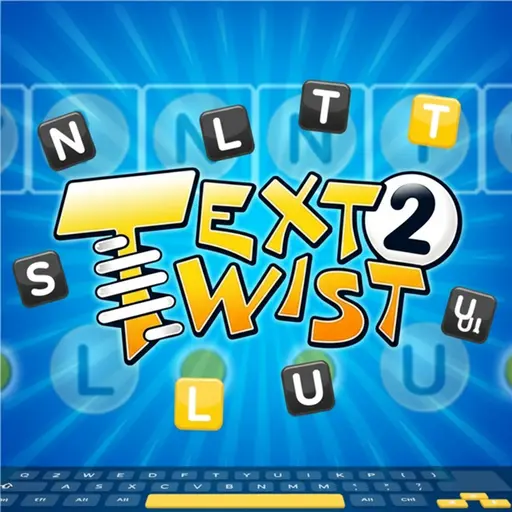
About Text Twist 2
Text Twist 2 is a legendary word shuffling game that challenges players to create words from a random set of letters. It was first released in 2010 and quickly became one of the most popular browser games in the world because of its simple yet addictive gameplay.
The game was created by GameHouse, a famous developer known for making classic casual games that families love. Whether you're playing on a desktop, tablet, or mobile phone, Text Twist 2 is designed to help you improve your English vocabulary and spelling skills in a stress-free environment.
Thanks to its educational value and colorful interface, Text Twist 2 continues to be a favorite choice for kids and players of all ages who love solving puzzles and teasing their brains!
Text Twist 2 Gameplay
Text Twist 2 is suitably challenging for beginners and word experts alike! You start with a set of scrambled letters—usually six or seven—and a blank grid. Your main goal is to find the single word that uses all the letters, known as the "Bingo" word, to qualify for the next round. You need quick thinking and a sharp eye for spelling.
As you advance, the words become more obscure and difficult to spot. The game features two main modes: Timed Mode, where you must find the Bingo word within two minutes, and Untimed Mode, which lets you play at your own pace without any pressure. This variety makes the game unique compared to other word puzzles because it caters to both competitive players and those who just want to relax.
Every time you find a word, it fills into the grid on the screen. Finding smaller words gives you points, but finding the longest word is the key to progression. There are thousands of levels, meaning you can play for hours without seeing the same puzzle twice. Finding rare words boosts your score significantly.
In advanced gameplay, you will encounter tricky letter combinations that test your knowledge of prefixes and suffixes. The game environment is simple and clean, keeping your focus entirely on the letters. Success depends entirely on your vocabulary size and your ability to see patterns in the chaos.
Platform
You can play this game directly in your web browser, whether you're using a desktop, laptop, tablet, or mobile device.
How to Play Text Twist 2?
In Text Twist 2, your main goal is to rearrange a jumbled mix of letters to form valid English words. You will see empty slots representing the words you need to find, sorted by length. You must identify the longest word that uses every single letter provided to unlock the next level.
If you are playing in Timed Mode, you have exactly two minutes to solve the puzzle. If the timer hits zero and you haven't found the main word, the game ends. However, if you are playing Untimed Mode, you can take as long as you want to find every possible word combination. If you get stuck, you can press the "Twist" button to shuffle the letters and see them from a new perspective.
The game ends when you fail to qualify for the next round in Timed Mode. Scoring is based on the length of the words you find and how many total words you discover. Solving the entire puzzle gives you a massive point bonus and a great feeling of accomplishment.
Controls
Text Twist 2 uses very simple controls that act just like a real keyboard or a touch pad. Here's how you control the game:
- On Computer:
- Keyboard: Type the letters on your physical keyboard and press Enter to submit the word.
- Spacebar: Press this to "Twist" (shuffle) the letters.
- Mouse: Click the letters on the screen to form words, then click the "Enter" button.
- Backspace: Deletes the last letter typed.
- On Mobile:
- Tap: Tap the letter balls to move them into the solution box.
- Buttons: Tap the "Enter" button to submit and "Twist" to shuffle.
These intuitive controls mean you don't have to learn complicated moves—just type or tap and start winning!
Tips and Tricks for Text Twist 2
Want to achieve better results in Text Twist 2? These simple and helpful tips will improve your vocabulary skills and help you unlock cool rewards:
- Look for Plurals: If you have an "S" in your letters, try adding it to the end of every word you find to score easy extra points.
- Find the Bingo First: Focus on finding the longest word immediately. Once you have that, you are safe to move to the next level even if time runs out.
- Twist Often: If you are stuck, hit the Twist button. Your brain often recognizes words better when the letters are in a different order.
- Check for Suffixes: Look for common endings like "ING," "ED," or "ER." Grouping these letters can help you see the root word.
- Try Rhyming Words: If you find a word like "BAT," try replacing the first letter to find "CAT," "HAT," or "MAT."
- Practice in Untimed Mode: If you are new to the game, play the Untimed version first to build your confidence without the stress of a clock.
- Use the Keyboard: If you are on a computer, typing is much faster than clicking. This saves precious seconds in Timed Mode.
- Don't Give Up: Even if you can't find the big word, keep entering small 3-letter words to keep your score going up.
Follow these tips and you'll be a Text Twist master in no time!
Features of Text Twist 2
Text Twist 2 is a brilliant puzzle game designed for players of all ages. Below are the top features that make this game so enjoyable and addictive:
- Two Game Modes: Choose between Timed Mode for a thrill or Untimed Mode for a relaxing brain workout.
- Thousands of Levels: With a massive dictionary database, you will rarely play the exact same puzzle twice.
- Twist Mechanic: The ability to shuffle letters helps you see new combinations and prevents you from getting stuck.
- Simple Graphics: The clean, bright interface makes it easy to read letters and focus on the puzzle without distractions.
- Educational Value: It is a fantastic tool for students to learn new words and improve spelling while playing.
- Progress Tracking: The game keeps track of your score and best rounds, encouraging you to beat your personal best.
- Instant Feedback: The game immediately tells you if a word is valid or not, keeping the gameplay fast and fluid.
- Cross-Platform Play: Works perfectly on computers, tablets, and smartphones without needing any special software.
These features make Text Twist 2 a perfect game for anyone who loves word searches, crosswords, and logic puzzles!
Game Details
| Developer | GameHouse |
|---|---|
| Release Date | 2010 |
| Genre | Word Puzzle |
| Platform | Web Browser, Desktop, Mobile |
| Mode | Single Player |
Text Twist 2 Online
Text Twist 2 online is the special version of the popular word puzzle game that you can play right here on our website. This version has been carefully designed so that you can enjoy the game directly in your browser—without downloading or installing anything!
You can start playing Text Twist 2 instantly with just one click. It works smoothly on all major web browsers, including Google Chrome, Mozilla Firefox, Microsoft Edge, Safari, and Opera. Whether you're using a computer, tablet, or mobile phone, the game is fully optimized for your device.
This is a modified edition of the original Text Twist 2, made for the best online experience. It keeps all the fun gameplay while running fast and safely on every browser.
Text Twist 2 for Free
You can enjoy playing Text Twist 2 for free right here on our website. This is a special modified version of the original game that allows you to play online without paying anything. No download is needed, and there are no hidden fees or in-game purchases.
Everything in the game—from the unlimited rounds to the shuffling features—is completely free. Kids and players of all ages can have fun without spending a single coin!
Also, all the games on our site are 100% free to play. We believe in fun gaming without limits or costs. Just choose a game and start playing instantly!
Can You Play Text Twist 2 Unblocked?
Yes! You can play Text Twist 2 unblocked anytime on our website Unblocked Games nl. Whether you're at school, in class, at work, or on a break, the game runs smoothly without any restrictions.
There's no need to download anything or bypass any blocks. Just visit our site and start forming words right away. It's safe, fast, and works perfectly on any device!
- Unblocked Games 76: A popular site that offers a large variety of unblocked games, including Text Twist 2’s clean and engaging gameplay.
- Unblocked Games G+: Another great destination for games that are often blocked on school networks. Text Twist 2 is featured for quick, logic‑based fun.
- Unblocked Games 6x: Offers safe, kid‑friendly titles. Text Twist 2 fits perfectly with its puzzle and logic focus.
- Unblocked Games 66: Known for its extensive collection of accessible games. Text Twist 2 is available for unblocked play, letting you test your skills wherever you are.
- Unblocked Games 67: Provides no-download, in‑browser games. Text Twist 2 appears in the puzzle section.
- Unblocked Games 77: A robust selection of unblocked games, letting you enjoy Text Twist 2’s engaging platform for quick challenges.
Text Twist 2 GitHub
Many players search for Text Twist 2 GitHub versions to bypass blocks that prevent them from playing the game at school or work. While GitHub might offer some alternatives, it's often complicated and not always reliable.
But with our website Unblocked Games nl , you don't need to search for GitHub versions anymore. Our version of Text Twist 2 runs smoothly on all devices and networks. Whether you're in the classroom, office, or on a break — enjoy the full game online with no restrictions, no downloads, and completely for free!
Text Twist 2 Download
Many fans of Text Twist 2 love to download the game to their own devices for a better playing experience than just playing on the browser. Here's how you can do it:
- If your device runs on Android, just go to the Google Play Store and tap the install button to download the game.
- If you use Apple devices like iPhone or iPad, head to the Apple App Store and press the install button to get the game.
APK Text Twist 2
If you use an Android device but can't find the game in the Google Play Store, don't worry! You can search for the Text Twist 2 APK file online and download it directly to your device. This way, you can install the game without using Google Play.
Also, if you love playing on your computer, you can download Text Twist 2 for free from the Steam store. This lets you enjoy the game with better controls and graphics.
Text Twist 2 Extension
Many fans of Text Twist 2 prefer to play the game directly on their browser using a Google Chrome extension. This lets them start playing instantly without having to visit the website every time. Plus, some extensions allow you to play offline whenever you want. To download the Text Twist 2 extension, click here.
Similar Games to Text Twist 2
Find More Games by Category
Frequently Asked Questions (FAQ) About Text Twist 2
-
What is Text Twist 2?
Text Twist 2 is a word puzzle game where you need to rearrange scrambled letters to form valid words and find the special Bingo word to advance. -
How do I play Text Twist 2?
Use the mouse or keyboard to click or type letters in the correct order to form words, then press Enter to submit them. -
Is the game free?
Yes, Text Twist 2 is free and accessible directly in the browser on our website. -
On which platforms can I play?
The game is available on Web Browsers, PC, Android, and iOS devices. -
Do I need an account to play?
No, you can start immediately without an account. -
Is the game suitable for children?
Yes, Text Twist 2 is designed for all ages and features age‑friendly graphics and educational content. -
Are there difficulty levels?
Yes, the game gets harder as you progress through rounds, with more obscure words required. -
How do I progress to the next level?
You need to find the longest word that uses all the letters (the Bingo word) to move to the next level. -
Can I replay a level?
In the browser version, if you lose, you typically restart, but you can always play Untimed mode to practice indefinitely. -
Is the game multiplayer?
No, Text Twist 2 is a solo game. There is no multiplayer mode included. -
Are there any tips for success?
Look for common prefixes like "UN" or "RE" and suffixes like "ING" or "ED" to help build longer words. -
How can I improve my skills in the game?
Practice regularly in Untimed Mode, read more books to expand your vocabulary, and use the Twist button to see new patterns. -
What do I do if the game is lagging or crashing?
Try clearing your browser cache, updating your browser, or playing on a different device with a stable internet connection. -
Can I play without an internet connection?
No, this online version requires an internet connection to be played directly in the browser. -
How do I earn rewards or bonuses?
You earn score bonuses by finding every single word in a level or by finding the Bingo word very quickly. -
What happens when time runs out?
If time runs out in Timed Mode and you haven't found the Bingo word, the game is over. If you found it, you move to the next round. -
How often does the game get updated?
The game is a classic title, so content updates are rare, but technical maintenance ensures it runs on modern browsers. -
Can I customize the game?
No, Text Twist 2 has a standard classic look that cannot be customized with skins. -
How do I unlock new levels or stages?
New levels unlock automatically after completing the previous level by finding the qualifying word. -
Is there any way to save my progress?
Yes, your progress is automatically saved through your browser’s local storage as long as you don't clear your cache.
What is the "Bingo" word?
The Bingo word is the specific word in the puzzle that uses every single letter provided in the tray.
What is the Twist button for?
The Twist button shuffles the letters in the tray randomly to help you visualize new word combinations.
Can I use proper nouns?
No, usually names of people, places (proper nouns), or offensive words are not accepted in Text Twist 2.
How many letters do I get?
You are usually given six or seven letters depending on the difficulty setting or version of the game you are playing.
Does spelling matter?
Yes, absolutely! You must spell the word correctly according to the game's dictionary for it to be accepted.
Why isn't my word being accepted?
If a word isn't accepted, it might be a slang term, a proper noun, or simply not in the game's official dictionary.
Is there a penalty for guessing wrong?
No, there is no penalty for entering a wrong word, so feel free to guess as many combinations as you can.
What is the difference between Timed and Untimed?
Timed mode has a clock you must beat, while Untimed mode lets you play forever until you decide to finish the round.
Can I use a cheat solver?
While solvers exist online, using them takes away the fun and educational benefit of solving the puzzle yourself.
Does the game teach grammar?
It focuses more on spelling and vocabulary recognition rather than sentence structure or grammar rules.
Is there a pause button?
Yes, there is usually a menu or pause button if you need to take a break during Timed Mode.
What is the "Last Word" button?
This button typically shows you the words you missed after a round is over so you can learn for next time.
Can I play on my iPhone?
Yes, you can play directly in the Safari browser on your iPhone without installing an app.
Is Text Twist 2 hard?
It starts easy with common words but gets quite difficult in later rounds with rare and long words.
Do repeated letters count?
You can only use each letter tile as many times as it appears in your tray; you cannot duplicate letters unless provided.
Conclusion
Text Twist 2 is the perfect blend of fun and education, offering a brain-teasing experience that helps you learn new words while having a blast. It helps develop quick thinking, improves your spelling, and expands your vocabulary in a way that feels like pure entertainment rather than homework. With its simple controls and addictive gameplay, it is easy for anyone to pick up and play.
Whether you are on a school bus with your phone or relaxing at home on your computer, you can access this game instantly for free. It’s safe, family-friendly, and requires zero money to enjoy hours of puzzle-solving action.
So, why wait? Click play now, challenge your friends to beat your high score, and become the ultimate word wizard with Text Twist 2!