

 Loading...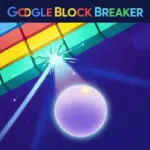





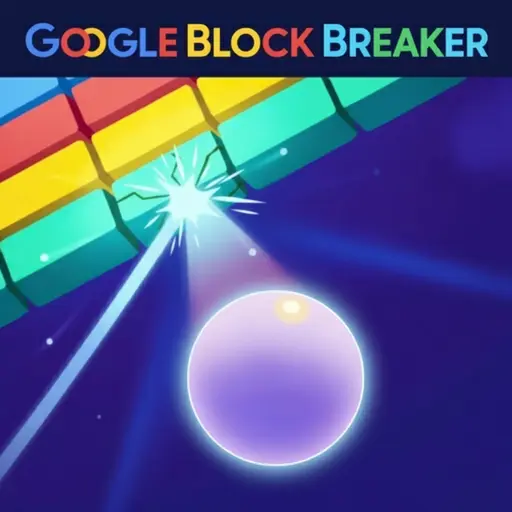
Play Google Block Breaker online for free, the ultimate arcade challenge that brings classic retro gaming right to your screen! This addictive game tests your reflexes and precision as you smash through colorful walls of bricks using just a bouncing ball and a paddle. With simple controls that work perfectly on any device, it is the perfect way to pass the time and sharpen your focus.
Whether you're playing on a phone, tablet, or computer, Google Block Breaker is packed with excitement. You will earn points for every brick you destroy and face faster speeds as you progress. The satisfaction of clearing the entire screen and watching your high score climb makes every round thrilling. It is a simple concept that provides hours of endless entertainment for kids and teens alike.
Are you ready to test your skills and become the ultimate brick-smashing champion?
About Google Block Breaker
Google Block Breaker is a modern web-based tribute to the legendary arcade game Atari Breakout. It was first released in May 2013 to celebrate the 37th anniversary of the original game, appearing as a fun "Easter Egg" inside Google Image Search. It quickly became a viral hit because it turned search results into a playable video game.
The game was created by Google engineers as a fun interactive doodle. Whether you're playing on a desktop, tablet, or mobile phone, Google Block Breaker is designed to be instantly accessible and easy to understand. The philosophy behind the design was to bring nostalgia to older players while introducing a timeless classic to a new generation.
Thanks to its fast-paced action and colorful retro visuals, Google Block Breaker continues to be a favorite choice for kids and players of all ages who love arcade puzzles and high-score challenges!
Google Block Breaker Gameplay
Google Block Breaker is easy to learn but hard to master! You start with a paddle at the bottom of the screen and a ball that bounces upward. Your main goal is to destroy all the colored bricks at the top of the screen by hitting them with the ball. You need quick reflexes and good timing to keep the ball from falling off the bottom of the screen.
As you destroy more blocks, the game increases in difficulty. The ball begins to move faster, requiring split-second reactions. Unlike complex RPGs, this game focuses on pure skill and concentration. It is unique because it transforms a simple page of images or blocks into a destructible playground.
The gameplay mechanics rely on physics and angles. Hitting the ball with the side of your paddle sends it flying in a sharp curve, while hitting the center keeps it straight. Clearing a full row of bricks feels incredibly satisfying, and keeping a "rally" going without dropping the ball is the key to achieving a massive score.
In advanced stages, the speed becomes intense. You will need to anticipate where the ball will bounce before it even hits a wall. The connection between your hand-eye coordination and game success is very strong, making it a great game for training your reaction time.
Platform
You can play this game directly in your web browser, whether you're using a desktop, laptop, tablet, or mobile device.
How to Play Google Block Breaker?
In Google Block Breaker, your main goal is to clear the screen of all colorful blocks without letting your ball fall past the paddle. You start by launching the ball into the wall of bricks. Each time the ball hits a brick, it disappears, and you gain points. You must move your paddle left and right to catch the ball as it bounces back down.
The game gets harder the longer you survive. After you hit a certain number of bricks, the ball speeds up, making it much more difficult to catch. You have a limited number of "lives" or balls. If you miss the ball and it drops off the bottom of the screen, you lose a life. The game ends when you run out of lives.
Your final score is determined by how many bricks you destroyed and how long you survived. The motivation to continue playing comes from trying to beat your own high score or challenging friends to see who can last the longest against the super-fast ball.
Controls
Google Block Breaker uses very simple inputs, making it accessible for everyone. Here's how you control your paddle:
- On Computer:
- Move your mouse left or right to control the paddle.
- Alternatively, use the Left and Right Arrow keys on your keyboard.
- On Mobile:
- Touch the screen and slide your finger left or right.
- Tap to launch the ball at the start.
These controls are intuitive and require no tutorial, allowing you to jump straight into the action immediately.
Tips and Tricks for Google Block Breaker
Want to set a new world record in Google Block Breaker? These simple and helpful tips will improve your reflexes and help you unlock cool rewards:
- Watch the Angle: Hitting the ball on the edge of the paddle creates a sharper bounce angle.
- Create a Tunnel: Try to break a column of bricks on the side to let the ball get trapped above the wall.
- Don't Chase Too Much: Keep your paddle near the center to react quickly to unexpected bounces.
- Safety First: Prioritize keeping the ball alive over hitting a specific brick.
- Focus on the Top: The ball moves fastest when it is bouncing around the top row; be ready for its return.
- Relax Your Eyes: Don't stare too hard at just the ball; look at the whole field to predict the path.
- Use Keyboard Precision: If playing on PC, arrow keys can sometimes offer more precise stopping power than a mouse.
- Rhythm is Key: Get into a flow state and don't panic when the ball speeds up.
Follow these tips and you'll be clearing levels like a pro in no time!
Features of Google Block Breaker
Google Block Breaker is a timeless classic designed for players of all ages. Below are the top features that make this game so enjoyable and addictive:
- Classic Arcade Action: Experience the authentic feel of 1970s gaming with modern smoothness.
- Instant Accessibility: No long loading times or accounts needed; just click and play.
- Responsive Physics: The ball bounces realistically based on where it hits the paddle.
- Increasing Difficulty: The game naturally gets faster, providing a constant challenge.
- High Score System: Track your best runs and try to beat your personal best.
- Colorful Graphics: Bright, distinct blocks make the gameplay visually satisfying.
- Cross-Platform Play: Works perfectly on school Chromebooks, smartphones, and gaming PCs.
- Kid-Friendly: A safe, non-violent game suitable for the youngest players.
These features make Google Block Breaker a perfect game for anyone who loves retro challenges and fast-paced fun!
Game Details
| Developer | |
|---|---|
| Release Date | May 2013 |
| Genre | Arcade / Puzzle |
| Platform | Web Browser (HTML5) |
| Mode | Single Player |
Google Block Breaker Online
Google Block Breaker online is the special version of the popular arcade game that you can play right here on our website. This version has been carefully designed so that you can enjoy the game directly in your browser—without downloading or installing anything!
You can start playing Google Block Breaker instantly with just one click. It works smoothly on all major web browsers, including Google Chrome, Mozilla Firefox, Microsoft Edge, Safari, and Opera. Whether you're using a computer, tablet, or mobile phone, the game is fully optimized for your device.
This is a modified edition of the original Google Block Breaker, made for the best online experience. It keeps all the fun gameplay while running fast and safely on every browser.
Google Block Breaker for Free
You can enjoy playing Google Block Breaker for free right here on our website. This is a special modified version of the original game that allows you to play online without paying anything. No download is needed, and there are no hidden fees or in-game purchases.
Everything in the game—from the endless levels to the high-score tracking—is completely free. Kids and players of all ages can have fun without spending a single coin!
Also, all the games on our site are 100% free to play. We believe in fun gaming without limits or costs. Just choose a game and start playing instantly!
Can You Play Google Block Breaker Unblocked?
Yes! You can play Google Block Breaker unblocked anytime on our website Unblocked Games nl. Whether you're at school, in class, at work, or on a break, the game runs smoothly without any restrictions.
There's no need to download anything or bypass any blocks. Just visit our site and start smashing bricks right away. It's safe, fast, and works perfectly on any device!
- Unblocked Games 76: A popular site that offers a large variety of unblocked games, including Google Block Breaker’s clean and engaging gameplay.
- Unblocked Games G+: Another great destination for games that are often blocked on school networks. Google Block Breaker is featured for quick, logic‑based fun.
- Unblocked Games 6x: Offers safe, kid‑friendly titles. Google Block Breaker fits perfectly with its puzzle and logic focus.
- Unblocked Games 66: Known for its extensive collection of accessible games. Google Block Breaker is available for unblocked play, letting you test your skills wherever you are.
- Unblocked Games 67: Provides no-download, in‑browser games. Google Block Breaker appears in the puzzle section.
- Unblocked Games 77: A robust selection of unblocked games, letting you enjoy Google Block Breaker’s engaging platform for quick challenges.
Google Block Breaker GitHub
Many players search for Google Block Breaker GitHub versions to bypass blocks that prevent them from playing the game at school or work. While GitHub might offer some alternatives, it's often complicated and not always reliable.
But with our website Unblocked Games nl , you don't need to search for GitHub versions anymore. Our version of Google Block Breaker runs smoothly on all devices and networks. Whether you're in the classroom, office, or on a break — enjoy the full game online with no restrictions, no downloads, and completely for free!
Google Block Breaker Download
Many fans of Google Block Breaker love to download the game to their own devices for a better playing experience than just playing on the browser. Here's how you can do it:
- If your device runs on Android, just go to the Google Play Store and tap the install button to download the game.
- If you use Apple devices like iPhone or iPad, head to the Apple App Store and press the install button to get the game.
APK Google Block Breaker
If you use an Android device but can't find the game in the Google Play Store, don't worry! You can search for the Google Block Breaker APK file online and download it directly to your device. This way, you can install the game without using Google Play.
Also, if you love playing on your computer, you can download Google Block Breaker for free from the Steam store. This lets you enjoy the game with better controls and graphics.
Google Block Breaker Extension
Many fans of Google Block Breaker prefer to play the game directly on their browser using a Google Chrome extension. This lets them start playing instantly without having to visit the website every time. Plus, some extensions allow you to play offline whenever you want. To download the Google Block Breaker extension, click here.
Similar Games to Google Block Breaker
Find More Games by Category
Frequently Asked Questions (FAQ) About Google Block Breaker
-
What is Google Block Breaker?
Google Block Breaker is a game where you need to destroy colorful bricks using a ball and paddle. -
How do I play Google Block Breaker?
Use the mouse or touch controls to move the paddle left and right to bounce the ball back at the bricks. -
Is the game free?
Yes, Google Block Breaker is free and accessible directly in the browser. -
On which platforms can I play?
The game is available on Web Browsers (Chrome, Edge, Firefox) on PC, Mobile, and Tablet. -
Do I need an account to play?
No, you can start immediately without an account. -
Is the game suitable for children?
Yes, Google Block Breaker is designed for all ages and features age‑friendly graphics. -
Are there difficulty levels?
Yes, the game gets harder as the ball moves faster after clearing bricks. -
How do I progress to the next level?
You need to clear all the blocks on the screen to move to the next level or reset the board. -
Can I replay a level?
Yes, you can replay all levels at any time by restarting the game. -
Is the game multiplayer?
No, Google Block Breaker is a solo game. There is no multiplayer mode included. -
Are there any tips for success?
Keep your eye on the ball, try to hit the ball with the edge of the paddle for better angles, and stay calm when it speeds up. -
How can I improve my skills in the game?
Practice regularly, learn how the ball bounces off different parts of the paddle, and focus on your reaction time. -
What do I do if the game is lagging or crashing?
Try clearing your browser cache, updating your browser, or playing on a different device with a stable internet connection. -
Can I play without an internet connection?
No, this game requires an internet connection to be played directly in the browser. -
How do I earn rewards or bonuses?
You can earn points by destroying bricks; sometimes clearing a full screen grants a massive score bonus. -
What happens when I lose all my lives?
The game ends, and you must start over from the beginning with a score of zero. -
How often does the game get updated?
The game receives regular updates with new content, bug fixes, and performance improvements. Check the game website for details on upcoming updates. -
Can I customize my paddle or ball?
While the basic version doesn’t offer deep customization, some variations allow you to unlock different colors by achieving high scores. -
How do I unlock new levels?
New levels usually unlock automatically after completing the current board of bricks. -
Is there any way to save my progress?
Yes, your progress is automatically saved through your browser’s local storage. If you want a backup, you can link a game account (if available).
What is the highest score possible in Google Block Breaker?
There is no specific limit, but the game becomes incredibly fast, making it very hard to score infinitely.
Does Google Block Breaker have sound effects?
Yes, the game features classic beep and boop arcade sound effects when the ball hits bricks or the paddle.
Can I pause the game?
Most versions allow you to pause by clicking off the game window or pressing the 'P' key on your keyboard.
Why is the ball moving so fast?
The ball speeds up automatically after you hit the paddle a certain number of times or break specific bricks to increase difficulty.
Is this game related to Atari Breakout?
Yes, it is a modern browser-based tribute to the original Atari Breakout game from the 1970s.
Can I play this on a school Chromebook?
Yes, since it is a browser game, it works perfectly on Chromebooks and is often unblocked.
What happens if the ball hits the bottom?
If the ball hits the bottom of the screen, you lose one life. If you lose all lives, it's Game Over.
Are there power-ups in the game?
Some versions of the game include power-ups like multi-ball or wider paddles, though the classic Google version is pure skill.
How do I launch the ball at the start?
Simply click your mouse or tap the screen to release the ball from the paddle to start the round.
Is Google Block Breaker an educational game?
While not strictly educational, it helps improve hand-eye coordination, reaction time, and geometric prediction skills.
Does the game work on iPhone?
Yes, it runs smoothly in Safari or Chrome on iPhones using touch controls.
How do I mute the game?
You can usually mute the tab in your browser or look for a speaker icon on the game screen.
Is there a dark mode for the game?
The game typically features a black background with neon bricks, which acts as a natural dark mode.
Who holds the world record for this game?
There is no official global leaderboard for the Google version, so you can compete with your friends for the best score.
Can I play with a controller?
Most browser versions are designed for mouse or keyboard, but some external tools might map controller buttons to arrow keys.
Conclusion
Google Block Breaker is a fantastic way to enjoy classic arcade gaming without the need for quarters or old consoles. It offers a perfect mix of relaxation and intense focus, helping players develop better reaction times and coordination. Because it is so simple to pick up and play, it remains a timeless favorite for students and gamers everywhere.
Whether you are on a smartphone, a tablet, or a school computer, this game is completely free and always accessible. It is the perfect choice for kids aged 7-18 who want a fun challenge that doesn't cost a penny. With no downloads required, you can jump straight into the action immediately.
So, why wait? Click play now and see how many bricks you can smash! Share your high score with your friends and see if you have what it takes to become the ultimate Block Breaker champion!