

 Loading...











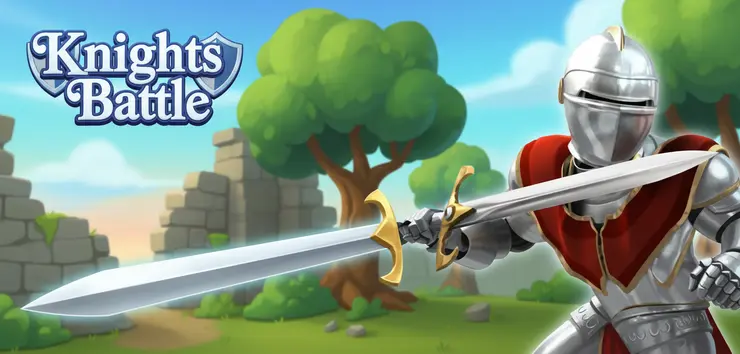
Play Knights Battle online for free, where you step into the shining armor of a brave hero ready to defend the kingdom! This exciting game puts you in the middle of a medieval fantasy world where only the strongest survive. With colorful cartoon graphics and fast-paced action, it is fun for everyone who loves swords, shields, and epic duels. The game is super easy to pick up, so you can start swinging your sword and blocking attacks right away on any device.
As you win matches, you earn gold coins that help you become even stronger. Whether you're playing on a phone, tablet, or computer, Knights Battle is packed with cool upgrades, new weapons, and tougher enemies to fight. You can unlock powerful gear to turn your basic knight into an unstoppable warrior.
Are you ready to defeat the enemy and become the champion of the castle?
About Knights Battle
Knights Battle is a fun turn-based strategy game mixed with RPG elements. It was first released in 2019 and quickly became popular among kids who enjoy medieval themes without complex rules.
The game was created by InLogic Software, a well-known developer famous for making casual games that are easy to play but hard to master. Whether you're playing on a desktop, tablet, or mobile phone, Knights Battle is designed to test your reflexes and strategy skills in a simple, tap-to-play format.
Thanks to its cute art style and satisfying combat, Knights Battle continues to be a favorite choice for kids and players of all ages who love upgrading characters and fighting epic bosses!
Knights Battle Gameplay
Knights Battle is easy to learn but gets harder as you go! You start with a basic sword and simple armor. Your main goal is to defeat a series of enemy knights in one-on-one duels. To win, you need to have quick reactions and smart timing to attack when the enemy is open and block when they strike.
As you defeat opponents, you earn gold. You can use this gold in the game shop to buy better weapons, stronger shields, and health potions. The enemies get tougher with every level, so you must keep improving your gear. What makes this game unique is the balance between attacking and defending; you can't just spam the attack button!
The gameplay uses a turn-based or real-time hybrid mechanic where you select your action. You can choose to strike hard, defend to reduce damage, or use items to heal. Improving your attack power helps you take down enemies faster, while upgrading defense keeps you alive longer against bosses.
Later in the game, you will face different environments and "Boss" knights that have special armor and high health. Your success depends on how well you manage your gold and which upgrades you choose first.
Platform
You can play this game directly in your web browser, whether you're using a desktop, laptop, tablet, or mobile device.
How to Play Knights Battle?
In Knights Battle, your main goal is to reduce your opponent's health bar to zero before they do the same to you. You face off against a rival knight on the battlefield. You must choose the right moment to strike and the right moment to shield yourself.
Progressing through the game means fighting wave after wave of enemies. If you lose a fight, you might have to restart the level or use a potion to continue. Don't worry if you fail; you keep your skills and can try again with a better strategy!
The game ends when you defeat all the knights in the tournament ladder. Winning matches gives you a high score and coins, motivating you to play "just one more round" to get that legendary sword you saw in the shop.
Controls
Knights Battle uses very simple controls. Here's how you control your hero:
- On Computer:
- Left Mouse Click: Select actions (Attack, Defend, Heal) on the menu.
- Mouse Hover: View item details in the shop.
- On Mobile:
- Tap Screen: Tap the action buttons to fight or block.
- Tap Menus: Navigate the shop and upgrades.
The controls are point-and-click, making it super easy to learn for players of any age.
Tips and Tricks for Knights Battle
Want to become the ultimate champion in Knights Battle? These simple and helpful tips will improve your fighting skills and help you unlock cool rewards:
- Upgrade Weapons First: A strong attack ends fights quickly, so buy better swords early on.
- Watch Your Health: Don't wait until you are almost dead to use a potion. Heal when you are at 50% health.
- Block Heavy Hits: If an enemy looks like they are winding up for a big hit, use your defend action.
- Save Your Gold: Don't buy every cheap item. Save up for the expensive gear that gives big stat boosts.
- Study the Enemy: Some knights attack fast, others attack slow. Learn their pattern.
- Replay Levels: If you are stuck, replay easier levels to farm more coins for upgrades.
- Buy Armor: A good shield is just as important as a sharp sword later in the game.
- Use Special Attacks: If you unlock special moves, save them for the boss fights.
Follow these tips and you'll be conquering the kingdom in no time!
Features of Knights Battle
Knights Battle is an exciting adventure designed for players of all ages. Below are the top features that make this game so enjoyable and addictive:
- Simple Controls: Easy tap and click mechanics make it accessible for kids and beginners.
- Cool Upgrades: A huge shop filled with swords, axes, shields, and armor to unlock.
- Cartoon Graphics: Bright, colorful, and funny art style that isn't too violent.
- Challenging Enemies: Fight against many different knights, each with their own look and difficulty.
- Turn-Based Combat: Gives you time to think about your next move without rushing.
- Reward System: Earn gold for every victory to feel a sense of progression.
- Cross-Platform: Works perfectly on phones, tablets, and school computers.
- No Install Needed: Jump straight into the action instantly in your browser.
These features make Knights Battle a perfect game for anyone who loves medieval fantasy and strategy!
Game Details
| Developer | InLogic Software |
|---|---|
| Release Date | 2019 |
| Genre | Strategy / RPG / Arcade |
| Platform | Web Browser (HTML5), Mobile, Tablet |
| Mode | Single Player |
Knights Battle Online
Knights Battle online is the special version of the popular strategy game that you can play right here on our website. This version has been carefully designed so that you can enjoy the game directly in your browser—without downloading or installing anything!
You can start playing Knights Battle instantly with just one click. It works smoothly on all major web browsers, including Google Chrome, Mozilla Firefox, Microsoft Edge, Safari, and Opera. Whether you're using a computer, tablet, or mobile phone, the game is fully optimized for your device.
This is a modified edition of the original Knights Battle, made for the best online experience. It keeps all the fun gameplay while running fast and safely on every browser.
Knights Battle for Free
You can enjoy playing Knights Battle for free right here on our website. This is a special modified version of the original game that allows you to play online without paying anything. No download is needed, and there are no hidden fees or in-game purchases.
Everything in the game—from the powerful swords to the shiny armor sets—is completely free. Kids and players of all ages can have fun without spending a single coin!
Also, all the games on our site are 100% free to play. We believe in fun gaming without limits or costs. Just choose a game and start playing instantly!
Can You Play Knights Battle Unblocked?
Yes! You can play Knights Battle unblocked anytime on our website Unblocked Games nl. Whether you're at school, in class, at work, or on a break, the game runs smoothly without any restrictions.
There's no need to download anything or bypass any blocks. Just visit our site and start dueling knights right away. It's safe, fast, and works perfectly on any device!
- Unblocked Games 76: A popular site that offers a large variety of unblocked games, including Knights Battle’s clean and engaging gameplay.
- Unblocked Games G+: Another great destination for games that are often blocked on school networks. Knights Battle is featured for quick, logic‑based fun.
- Unblocked Games 6x: Offers safe, kid‑friendly titles. Knights Battle fits perfectly with its puzzle and logic focus.
- Unblocked Games 66: Known for its extensive collection of accessible games. Knights Battle is available for unblocked play, letting you test your skills wherever you are.
- Unblocked Games 67: Provides no-download, in‑browser games. Knights Battle appears in the puzzle section.
- Unblocked Games 77: A robust selection of unblocked games, letting you enjoy Knights Battle’s engaging platform for quick challenges.
Knights Battle GitHub
Many players search for Knights Battle GitHub versions to bypass blocks that prevent them from playing the game at school or work. While GitHub might offer some alternatives, it's often complicated and not always reliable.
But with our website Unblocked Games nl , you don't need to search for GitHub versions anymore. Our version of Knights Battle runs smoothly on all devices and networks. Whether you're in the classroom, office, or on a break — enjoy the full game online with no restrictions, no downloads, and completely for free!
Knights Battle Download
Many fans of Knights Battle love to download the game to their own devices for a better playing experience than just playing on the browser. Here's how you can do it:
- If your device runs on Android, just go to the Google Play Store and tap the install button to download the game.
- If you use Apple devices like iPhone or iPad, head to the Apple App Store and press the install button to get the game.
APK Knights Battle
If you use an Android device but can't find the game in the Google Play Store, don't worry! You can search for the Knights Battle APK file online and download it directly to your device. This way, you can install the game without using Google Play.
Also, if you love playing on your computer, you can download Knights Battle for free from the Steam store. This lets you enjoy the game with better controls and graphics.
Knights Battle Extension
Many fans of Knights Battle prefer to play the game directly on their browser using a Google Chrome extension. This lets them start playing instantly without having to visit the website every time. Plus, some extensions allow you to play offline whenever you want. To download the Knights Battle extension, click here.
Similar Games to Knights Battle
Find More Games by Category
Frequently Asked Questions (FAQ) About Knights Battle
-
What is Knights Battle?
Knights Battle is a strategy game where you need to defeat enemy knights in duels by upgrading your gear and using smart tactics. -
How do I play Knights Battle?
Use the mouse or touch controls to click (or tap) on action buttons like Attack, Defend, or Heal during the battle. -
Is the game free?
Yes, Knights Battle is free and accessible directly in the browser. -
On which platforms can I play?
The game is available on PC, Mac, Android, iOS, and Tablets via web browsers. -
Do I need an account to play?
No, you can start immediately without an account. -
Is the game suitable for children?
Yes, Knights Battle is designed for all ages and features age‑friendly graphics. -
Are there difficulty levels?
Yes, the game gets harder as you progress through levels and face boss knights. -
How do I progress to the next level?
You need to deplete the enemy knight's health bar to zero to move to the next level. -
Can I replay a level?
Yes, you can replay all levels at any time to earn more gold. -
Is the game multiplayer?
No, Knights Battle is a solo game. There is no multiplayer mode included. -
Are there any tips for success?
Upgrade your weapon first to deal more damage and use potions before your health gets too low. -
How can I improve my skills in the game?
Practice regularly, learn the patterns of each enemy knight, and use the defend button strategically to block heavy attacks. -
What do I do if the game is lagging or crashing?
Try clearing your browser cache, updating your browser, or playing on a different device with a stable internet connection. -
Can I play without an internet connection?
No, this game requires an internet connection to be played directly in the browser. -
How do I earn rewards or bonuses?
You can earn rewards by winning battles, which gives you gold coins to spend in the shop. -
What happens when I lose all my lives?
You usually just restart the current battle, allowing you to try a different strategy without losing total game progress. -
How often does the game get updated?
The game receives regular updates with new content, bug fixes, and performance improvements. Check the game website for details on upcoming updates. -
Can I customize my character or plane?
You can customize your knight's stats by buying different weapons and shields, which changes how effective you are in battle. -
How do I unlock new levels or stages?
New levels unlock automatically after defeating the opponent in the current level. -
Is there any way to save my progress?
Yes, your progress is automatically saved through your browser’s local storage.
How do I get more coins in Knights Battle?
You can get more coins by winning battles; replaying older levels you have already beaten is a great way to farm extra gold for upgrades.
Which weapon is the best?
The most expensive weapon in the shop is usually the best, as it deals the most damage, helping you defeat tough bosses faster.
Does armor actually help?
Yes, buying better armor reduces the damage you take from enemy hits, which is very important in the later levels.
Can I play on my iPad?
Absolutely, the game is fully optimized for touch screens so you can tap to fight easily on an iPad or any tablet.
Is there a time limit for battles?
No, there is usually no timer, so you can take your time to decide whether to attack or heal.
What does the shield button do?
The shield button blocks a portion of the incoming damage from the enemy, which is vital when the enemy is about to use a strong attack.
Are there bosses in the game?
Yes, every few levels you will encounter a Boss Knight who has more health and hits harder than normal enemies.
Do health potions cost real money?
No, you buy health potions using the gold coins you earn in the game by winning fights.
Can I play Knights Battle at school?
Yes, because it is an unblocked HTML5 game, it generally works well on school networks and Chromebooks.
Why is the enemy blocking my attacks?
Enemies have a chance to block just like you do; try to upgrade your weapon to ensure you still deal damage even when they block.
Is there a storyline?
The game has a simple premise of a knight proving his worth to the King by winning the tournament, but there isn't a deep story.
Can I play against my friend?
Currently, Knights Battle is a single-player experience where you fight against computer-controlled opponents.
How many levels are there?
The game typically features infinite progression or a long ladder of tournament levels that get harder indefinitely.
Does the game save if I close the tab?
Yes, your browser cache usually saves your progress, coins, and purchased items so you can return later.
Is Knights Battle violent?
The game is cartoonish and mild; while there is fighting, it is not graphic and is considered safe for kids.
Conclusion
Knights Battle is a fantastic choice for anyone looking for a fun, quick, and engaging strategy game. It helps develop quick thinking and resource management skills as you decide how to spend your gold and when to strike. Because it is so easy to learn, it is perfect for taking a quick break or playing for hours to unlock every item.
Since it works on all devices and is completely free, there is no barrier to entry. It appeals to kids and teens who love fantasy worlds and the satisfaction of upgrading a hero from zero to hero. You don't need to spend any money to have a great time and feel the thrill of victory.
So, what are you waiting for? Grab your sword, put on your helmet, and start your adventure today. Share the game with your friends to see who can reach the highest level and become the ultimate knight in Knights Battle!