

 Loading...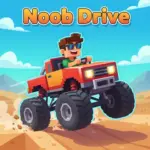








Play Noob Drive online for free, the hilarious and chaotic car game where keeping your wheels attached is half the battle! Drive through crazy tracks, dodge obstacles, and speed to the finish line in this blocky adventure. It is super easy to start but hard to master, making it perfect for playing on your school Chromebook, tablet, or phone.
In this game, you take control of a goofy, blocky car that loves to drift and bounce. Whether you're playing on a phone, tablet, or computer, Noob Drive is packed with funny moments, challenging ramps, and epic crashes where your car might fall apart piece by piece.
Are you ready to slam on the gas and see if you can reach the finish line in one piece?
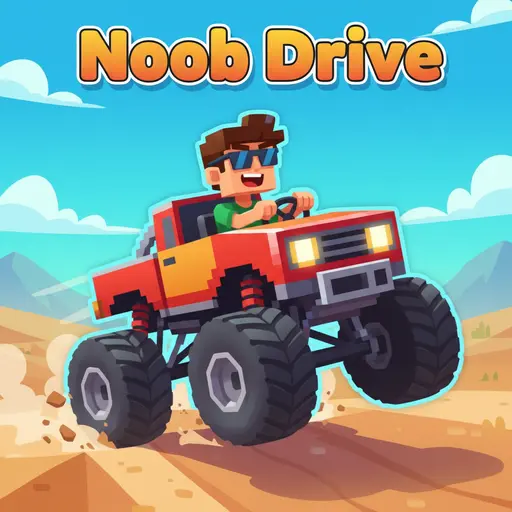
About Noob Drive
Noob Drive is a physics-based arcade racing game where speed meets comedy. It was first released in June 2021 and quickly became popular for its unique "ragdoll" car mechanics and addictive gameplay.
The game was created by Vanadium Games, a developer known for making fun and accessible web games. Whether you're playing on a desktop, tablet, or mobile phone, Noob Drive is designed to test your driving skills while making you laugh at every crash.
Thanks to its simple graphics and hilarious physics engine, Noob Drive continues to be a favorite choice for kids and players of all ages who love fast cars and funny challenges!
Noob Drive Gameplay
Noob Drive is deceptively tricky! You start with a basic blocky car at the beginning of a track filled with hills, loops, and gaps. Your main goal is to drive from the starting point to the finish portal as fast as possible. You need good reflexes and a steady hand on the steering wheel.
As you move forward, the tracks get crazier with vertical walls, massive jumps, and confusing mazes. One unique feature is that your car is durable but breakable; you can lose a wheel or your roof and still keep driving! This makes every run unique compared to standard racing games where one crash stops the fun.
The gameplay relies heavily on momentum and balance. You can collect coins scattered throughout the levels to unlock cooler cars and skins. Improving your time allows you to earn better medals, motivating you to replay levels to get that perfect run.
Advanced players will learn how to use airtime to flip the car for style points and speed boosts. The environments change as you progress, offering new visual themes and harder obstacles that require precise throttle control to survive.
Platform
You can play this game directly in your web browser, whether you're using a desktop, laptop, tablet, or mobile device.
How to Play Noob Drive?
In Noob Drive, your main goal is to reach the black-and-white checkered destination portal without getting stuck or destroying your car completely. You must navigate steep hills, jump over dangerous pits, and balance your vehicle so it doesn't land upside down.
The game gets harder as you complete levels, introducing sharper turns and bigger drops. Along the way, you should grab coins to buy upgrades. If you flip over or get stuck, you have to restart the level, but don't worry—restarting is instant so you can try again immediately.
To win, you simply need to touch the finish line. Your score depends on how fast you complete the track, so try to be as speedy as possible while keeping your tires on the ground!
Controls
Noob Drive uses simple keyboard inputs that mimic arcade driving. Here's how you control your blocky vehicle:
- On Computer:
- W or Up Arrow: Accelerate / Gas
- S or Down Arrow: Brake / Reverse
- A/D or Left/Right Arrows: Balance the car in the air
- Spacebar: Handbrake / Stop quickly
- On Mobile:
- Right Side Screen: Tap to Accelerate
- Left Side Screen: Tap to Brake/Reverse
- Tilt/On-screen arrows: Balance the car
The controls are very responsive, making it easy to learn but challenging to master when driving at top speeds.
Tips and Tricks for Noob Drive
Want to beat every level in Noob Drive? These simple and helpful tips will improve your driving skills and help you unlock cool rewards:
- Control Your Speed: Don't just hold the gas down; slow down on hill crests so you don't fly off the track.
- Master Air Control: Use the arrow keys to tilt your car while jumping to land flat on your wheels.
- Keep Going on 3 Wheels: If you lose a wheel during a crash, don't restart! You can often limp to the finish line on three wheels.
- Use Momentum: Before a big ramp, make sure to back up to get a running start for maximum speed.
- Watch for Traps: Some floors drop out or move, so keep your eyes on the road ahead.
- Collect Coins: Go out of your way to grab coins; they help you buy faster and more stable cars.
- Restart Quickly: If you land upside down and can't flip back, hit restart immediately to save time.
- Brake Mid-Air: Tapping the brake in the air can sometimes help correct your car's rotation.
Follow these tips and you'll be the fastest driver on the leaderboard!
Features of Noob Drive
Noob Drive is a fun racing game designed for players of all ages. Below are the top features that make this game so enjoyable and addictive:
- Unique Physics: The car bounces, drifts, and breaks apart in a hilarious and realistic way.
- Funny Crashes: Watching your car lose parts while you try to keep driving is part of the fun.
- Simple Controls: Anyone can pick up and play using just the arrow keys or WASD.
- Cool Unlockables: Earn coins to unlock flashy new cars and funny skins.
- Time Attack: Challenge yourself to beat the clock and set new speed records.
- Cross-Platform: Works perfectly on phones, tablets, and school computers.
- Challenging Levels: Dozens of tracks with unique ramps, loops, and obstacles.
- Kid-Friendly: No violence, just good clean driving fun for everyone.
These features make Noob Drive a perfect game for anyone who loves funny arcade racing and speed!
Game Details
| Developer | Vanadium Games |
|---|---|
| Release Date | June 2021 |
| Genre | Racing / Arcade |
| Platform | Web Browser, Mobile (Android/iOS) |
| Mode | Single Player |
Noob Drive Online
Noob Drive online is the special version of the popular racing game that you can play right here on our website. This version has been carefully designed so that you can enjoy the game directly in your browser—without downloading or installing anything!
You can start playing Noob Drive instantly with just one click. It works smoothly on all major web browsers, including Google Chrome, Mozilla Firefox, Microsoft Edge, Safari, and Opera. Whether you're using a computer, tablet, or mobile phone, the game is fully optimized for your device.
This is a modified edition of the original Noob Drive, made for the best online experience. It keeps all the fun gameplay while running fast and safely on every browser.
Noob Drive for Free
You can enjoy playing Noob Drive for free right here on our website. This is a special modified version of the original game that allows you to play online without paying anything. No download is needed, and there are no hidden fees or in-game purchases.
Everything in the game—from the wacky tracks to the unlockable cars—is completely free. Kids and players of all ages can have fun without spending a single coin!
Also, all the games on our site are 100% free to play. We believe in fun gaming without limits or costs. Just choose a game and start playing instantly!
Can You Play Noob Drive Unblocked?
Yes! You can play Noob Drive unblocked anytime on our website Unblocked Games nl. Whether you're at school, in class, at work, or on a break, the game runs smoothly without any restrictions.
There's no need to download anything or bypass any blocks. Just visit our site and start racing right away. It's safe, fast, and works perfectly on any device!
- Unblocked Games 76: A popular site that offers a large variety of unblocked games, including Noob Drive’s clean and engaging gameplay.
- Unblocked Games G+: Another great destination for games that are often blocked on school networks. Noob Drive is featured for quick, logic‑based fun.
- Unblocked Games 6x: Offers safe, kid‑friendly titles. Noob Drive fits perfectly with its puzzle and logic focus.
- Unblocked Games 66: Known for its extensive collection of accessible games. Noob Drive is available for unblocked play, letting you test your skills wherever you are.
- Unblocked Games 67: Provides no-download, in‑browser games. Noob Drive appears in the puzzle section.
- Unblocked Games 77: A robust selection of unblocked games, letting you enjoy Noob Drive’s engaging platform for quick challenges.
Noob Drive GitHub
Many players search for Noob Drive GitHub versions to bypass blocks that prevent them from playing the game at school or work. While GitHub might offer some alternatives, it's often complicated and not always reliable.
But with our website nblocked Games nl , you don't need to search for GitHub versions anymore. Our version of Noob Drive runs smoothly on all devices and networks. Whether you're in the classroom, office, or on a break — enjoy the full game online with no restrictions, no downloads, and completely for free!
Noob Drive Download
Many fans of Noob Drive love to download the game to their own devices for a better playing experience than just playing on the browser. Here's how you can do it:
- If your device runs on Android, just go to the Google Play Store and tap the install button to download the game.
- If you use Apple devices like iPhone or iPad, head to the Apple App Store and press the install button to get the game.
APK Noob Drive
If you use an Android device but can't find the game in the Google Play Store, don't worry! You can search for the Noob Drive APK file online and download it directly to your device. This way, you can install the game without using Google Play.
Also, if you love playing on your computer, you can download Noob Drive for free from the Steam store. This lets you enjoy the game with better controls and graphics.
Noob Drive Extension
Many fans of Noob Drive prefer to play the game directly on their browser using a Google Chrome extension. This lets them start playing instantly without having to visit the website every time. Plus, some extensions allow you to play offline whenever you want. To download the Noob Drive extension, click here.
Similar Games to Noob Drive
Find More Games by Category
Frequently Asked Questions (FAQ) About Noob Drive
-
What is Noob Drive?
Noob Drive is a game where you need to drive a clumsy blocky car to the finish line without flipping over. -
How do I play Noob Drive?
Use the arrow keys or WASD to accelerate, brake, and balance your car as it speeds through the track. -
Is the game free?
Yes, Noob Drive is free and accessible directly in the browser. -
On which platforms can I play?
The game is available on Web Browser, Android, and iOS. -
Do I need an account to play?
No, you can start immediately without an account. -
Is the game suitable for children?
Yes, Noob Drive is designed for all ages and features age‑friendly graphics. -
Are there difficulty levels?
Yes, the game gets harder as you progress through levels with steeper ramps and more obstacles. -
How do I progress to the next level?
You need to reach the checkered portal at the end of the track to move to the next level. -
Can I replay a level?
Yes, you can replay all levels at any time to improve your time score. -
Is the game multiplayer?
No, Noob Drive is a solo game. There is no multiplayer mode included. -
Are there any tips for success?
Control your speed on jumps and use the arrow keys to land flat on your wheels. -
How can I improve my skills in the game?
Practice regularly, learn the patterns of each level, and use the air control buttons to balance your car. -
What do I do if the game is lagging or crashing?
Try clearing your browser cache, updating your browser, or playing on a different device with a stable internet connection. -
Can I play without an internet connection?
No, this game requires an internet connection to be played directly in the browser. -
How do I earn rewards or bonuses?
You can earn rewards by completing levels quickly and collecting coins scattered on the track. -
What happens when I lose all my lives?
There are no lives! If you crash or get stuck, you just instantly restart the level as many times as you need. -
How often does the game get updated?
The game receives regular updates with new content, bug fixes, and performance improvements. Check the game website for details on upcoming updates. -
Can I customize my character or plane?
Yes, you can use collected coins to unlock new car skins and funny vehicle designs. -
How do I unlock new levels or stages?
New levels unlock automatically after completing the previous level. -
Is there any way to save my progress?
Yes, your progress is automatically saved through your browser’s local storage.
Why does my car fall apart?
The car is designed to be fragile for fun; hitting obstacles too hard will make wheels or parts fall off, but you can usually keep driving!
Can I play Noob Drive on a school computer?
Yes, because it is a web-based game, it works well on most school computers and Chromebooks without needing an install.
What is the fastest car in the game?
While all cars have similar base speeds, the lighter unlockable cars often feel faster and flip easier in the air.
How do I restart a level quickly?
Usually, there is a restart button on the screen, or pressing 'R' on your keyboard will reset the track instantly.
Are there cheat codes for Noob Drive?
No, there are no official cheat codes, but practicing the tracks is the best way to win.
Can I play with a controller?
Some versions of the game support gamepads, but the keyboard is generally the best way to play.
What happens if I miss a coin?
Nothing bad happens; you can still finish the level, but you will have less money to buy new skins.
Is Noob Drive an endless runner?
No, it has specific levels with a start and a finish line that you must complete.
Does the game have sound?
Yes, it features funny sound effects for the engine, crashing, and collecting coins.
Can I drive backwards?
Yes, pressing the down arrow or 'S' key lets you reverse if you get stuck in a corner.
Is the game 3D or 2D?
Noob Drive uses 2D graphics with a blocky 3D style, known as "2.5D" visuals.
How many levels are there?
There are dozens of unique levels to beat, with more often added in updates.
What is the hardest level?
Most players find the levels with large loops and moving platforms to be the most difficult.
Does the game work on iPhone?
Yes, you can play it via the browser on Safari or Chrome on your iPhone.
Why is the steering so sensitive?
The sensitive steering is part of the challenge, making it a game of skill and balance rather than just speed.
Conclusion
Noob Drive is a fantastic game that combines speed, humor, and skill into one addictive package. It helps players develop hand-eye coordination and patience while providing hours of laughter thanks to its wacky physics engine. Because it is so easy to pick up, it is great for quick gaming sessions between classes or homework.
Since the game works on almost any device and is completely free, there is no barrier to entry. Whether you are 7 or 18, the challenge of getting your broken car across the finish line is universally fun. You can play right now without spending a dime or waiting for a download.
So, what are you waiting for? Start your engine, invite your friends to beat your time, and see if you can master the chaos in Noob Drive today!