

 Loading...









Play Word Wipe online for free, a fast-paced puzzle adventure where you race against the clock to connect letters and clear the board! In this exciting game, you have to think fast and swipe even faster to remove lines of tiles before time runs out. With simple controls that work perfectly on phones, tablets, and computers, it is the ultimate test of your vocabulary skills.
Besides being a great way to challenge your brain, Word Wipe allows you to earn points and collect special bombs to help you blast through difficult levels. Whether you're playing on a phone, tablet, or computer, Word Wipe is packed with thrilling moments and endless word-finding fun.
Are you ready to beat the high score and become the ultimate word champion?
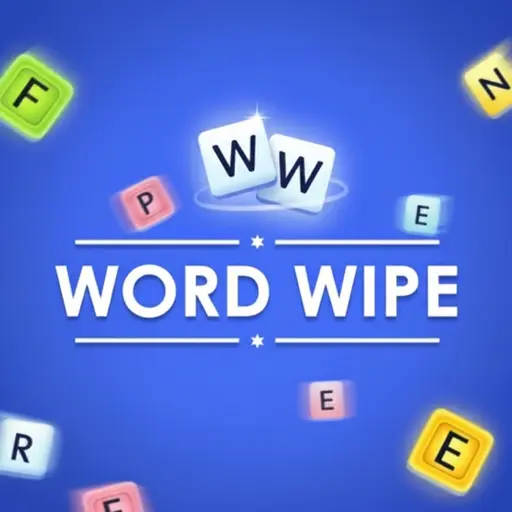
About Word Wipe
Word Wipe is a popular logic puzzle game that combines word searching with board clearing mechanics. It was first released in July 2017 as a modern HTML5 game, quickly becoming a hit due to its addictive nature and quick rounds.
The game was created by Great Day Games, a developer known for creating high-quality, family-friendly browser games. Whether you're playing on a desktop, tablet, or mobile phone, Word Wipe is designed to test your quick thinking and spelling abilities under pressure.
Thanks to its colorful design and exciting power-ups, Word Wipe continues to be a favorite choice for kids and players of all ages who love challenging word puzzles!
Word Wipe Gameplay
Word Wipe is easy to start but gets harder as you go! You begin with a full grid of letters and a ticking timer. Your main goal is to link adjacent letters to form valid English words, which clears the tiles and helps you reach the goal line. You need good spelling skills and quick reflexes to succeed.
As you clear lines, the difficulty increases with faster timers and trickier letter combinations. To help you out, the game features special bomb boosters that charge up as you make words. These unique mechanics make this game unique compared to standard word searches because gravity pulls the tiles down, changing the board layout constantly.
The gameplay relies on dragging your mouse or finger across tiles in any direction—up, down, left, right, or diagonal. When you clear rows, you earn points and can unlock bomb power-ups to destroy stubborn tiles. Improving your vocabulary allows you to find longer words, which grants higher scores.
In advanced levels, you will face intense time pressure where every second counts. You must clear a specific number of lines to advance to the next stage. The connection between your ability to spot patterns quickly and your game success is what makes it so replayable.
Platform
You can play this game directly in your web browser, whether you're using a desktop, laptop, tablet, or mobile device.
How to Play Word Wipe?
In Word Wipe, your main goal is to clear horizontal rows of tiles by forming words to prevent the timer from running out. You must look for letter combinations and swipe through them to remove them from the board. The main challenge is that you must clear a specific number of lines before the time expires to move to the next level.
As you progress, the required number of cleared lines increases, making it much harder to survive. You can collect bomb power-ups by forming words, which helps you clear difficult areas. If you fail to clear the required lines before the clock hits zero, the game ends, and you will have to restart the level.
The game ends when you run out of time, and your final score is calculated based on the words you found and the lines you cleared. High scores serve as motivation to continue playing and beating your personal best.
Controls
Word Wipe uses very simple and intuitive controls. Here's how you control the game:
- On Computer:
- Mouse Left Click & Hold: Click on the first letter and drag over adjacent letters to form a word.
- Release Mouse Button: Submit the word to clear the tiles.
- On Mobile:
- Touch & Drag: Place your finger on a letter and slide it across neighboring letters.
- Lift Finger: Submit the word and clear the tiles.
These controls are super responsive, making it easy for anyone to pick up and play instantly.
Tips and Tricks for Word Wipe
Want to achieve better results in Word Wipe? These simple and helpful tips will improve your puzzle-solving skills and help you unlock cool rewards:
- Quick Scans: Don't just look for long words; find short 3-letter words to keep the board moving.
- Focus on Lines: Remember that your goal is to clear lines, not just find words. Focus on the bottom rows first.
- Use Bombs Wisely: Save your bomb power-ups for when you are stuck or running out of time.
- Work Vertically: Clearing vertical columns can help drop new letters down, creating new word opportunities.
- Don't Panic: When the timer turns red, stay calm and look for simple words like "the" or "and" to buy time.
- Multi-Directional: Remember you can swipe diagonally and backwards, not just in straight lines.
- Clear Clusters: Try to break up large groups of consonants (like Z, X, Q) early so they don't block you later.
- Check the Goal: Always keep an eye on how many more lines you need to clear to pass the level.
Follow these tips and you'll be a Word Wipe master in no time!
Features of Word Wipe
Word Wipe is a thrilling brain-teaser designed for players of all ages. Below are the top features that make this game so enjoyable and addictive:
- Time Attack Mode: The intense timer keeps your heart racing and tests your speed.
- Bonus Bombs: Unlock explosive power-ups that clear multiple tiles at once.
- Infinite Levels: The game continues as long as you can keep clearing lines, offering endless fun.
- Simple Controls: The drag-and-swipe mechanic is easy for kids and adults to learn instantly.
- Brain Training: It helps improve your vocabulary and spelling skills while you play.
- Cross-Platform: Works smoothly on phones, tablets, and computers without lag.
- Score Multipliers: creating longer words gives you extra points and charges your bombs faster.
- Vibrant Graphics: The clean and colorful interface makes the letters easy to read.
These features make Word Wipe a perfect game for anyone who loves puzzles and testing their brain power!
Game Details
| Developer | Great Day Games |
|---|---|
| Release Date | July 2017 |
| Genre | Word Puzzle |
| Platform | Browser (HTML5), Mobile, Desktop |
| Mode | Single Player |
Word Wipe Online
Word Wipe online is the special version of the popular word puzzle that you can play right here on our website. This version has been carefully designed so that you can enjoy the game directly in your browser—without downloading or installing anything!
You can start playing Word Wipe instantly with just one click. It works smoothly on all major web browsers, including Google Chrome, Mozilla Firefox, Microsoft Edge, Safari, and Opera. Whether you're using a computer, tablet, or mobile phone, the game is fully optimized for your device.
This is a modified edition of the original Word Wipe, made for the best online experience. It keeps all the fun gameplay while running fast and safely on every browser.
Word Wipe for Free
You can enjoy playing Word Wipe for free right here on our website. This is a special modified version of the original game that allows you to play online without paying anything. No download is needed, and there are no hidden fees or in-game purchases.
Everything in the game—from the levels to the bomb power-ups—is completely free. Kids and players of all ages can have fun without spending a single coin!
Also, all the games on our site are 100% free to play. We believe in fun gaming without limits or costs. Just choose a game and start playing instantly!
Can You Play Word Wipe Unblocked?
Yes! You can play Word Wipe unblocked anytime on our website Unblocked Games nl. Whether you're at school, in class, at work, or on a break, the game runs smoothly without any restrictions.
There's no need to download anything or bypass any blocks. Just visit our site and start clearing lines right away. It's safe, fast, and works perfectly on any device!
- Unblocked Games 76: A popular site that offers a large variety of unblocked games, including Word Wipe’s clean and engaging gameplay.
- Unblocked Games G+: Another great destination for games that are often blocked on school networks. Word Wipe is featured for quick, logic‑based fun.
- Unblocked Games 6x: Offers safe, kid‑friendly titles. Word Wipe fits perfectly with its puzzle and logic focus.
- Unblocked Games 66: Known for its extensive collection of accessible games. Word Wipe is available for unblocked play, letting you test your skills wherever you are.
- Unblocked Games 67: Provides no-download, in‑browser games. Word Wipe appears in the puzzle section.
- Unblocked Games 77: A robust selection of unblocked games, letting you enjoy Word Wipe’s engaging platform for quick challenges.
Word Wipe GitHub
Many players search for Word Wipe GitHub versions to bypass blocks that prevent them from playing the game at school or work. While GitHub might offer some alternatives, it's often complicated and not always reliable.
But with our website Unblocked Games nl , you don't need to search for GitHub versions anymore. Our version of Word Wipe runs smoothly on all devices and networks. Whether you're in the classroom, office, or on a break — enjoy the full game online with no restrictions, no downloads, and completely for free!
Word Wipe Download
Many fans of Word Wipe love to download the game to their own devices for a better playing experience than just playing on the browser. Here's how you can do it:
- If your device runs on Android, just go to the Google Play Store and tap the install button to download the game.
- If you use Apple devices like iPhone or iPad, head to the Apple App Store and press the install button to get the game.
APK Word Wipe
If you use an Android device but can't find the game in the Google Play Store, don't worry! You can search for the Word Wipe APK file online and download it directly to your device. This way, you can install the game without using Google Play.
Also, if you love playing on your computer, you can download Word Wipe for free from the Steam store. This lets you enjoy the game with better controls and graphics.
Word Wipe Extension
Many fans of Word Wipe prefer to play the game directly on their browser using a Google Chrome extension. This lets them start playing instantly without having to visit the website every time. Plus, some extensions allow you to play offline whenever you want. To download the Word Wipe extension, click here.
Similar Games to Word Wipe
Find More Games by Category
Frequently Asked Questions (FAQ) About Word Wipe
-
What is Word Wipe?
Word Wipe is a game where you need to connect adjacent letters to form words and clear lines before time runs out. -
How do I play Word Wipe?
Use the mouse or touch controls to click (or tap) on a letter, drag to its neighbor, and release to form a word. -
Is the game free?
Yes, Word Wipe is free and accessible directly in the browser. -
On which platforms can I play?
The game is available on Desktop browsers, tablets, and mobile phones. -
Do I need an account to play?
No, you can start immediately without an account. -
Is the game suitable for children?
Yes, Word Wipe is designed for all ages and features age‑friendly graphics and educational value. -
Are there difficulty levels?
Yes, the game gets harder as you progress through levels with faster timers. -
How do I progress to the next level?
You need to clear a specific number of lines indicated on the side of the screen to move to the next level. -
Can I replay a level?
If you lose, you can restart, but you generally continue from your current progress in a session. -
Is the game multiplayer?
No, Word Wipe is a solo game. There is no multiplayer mode included. -
Are there any tips for success?
Try to find short words quickly to keep the board moving and use bombs on hard-to-clear tiles. -
How can I improve my skills in the game?
Practice regularly, learn the patterns of each level, and scan for common word endings like "ER" or "ING". -
What do I do if the game is lagging or crashing?
Try clearing your browser cache, updating your browser, or playing on a different device with a stable internet connection. -
Can I play without an internet connection?
No, this game requires an internet connection to be played directly in the browser unless you have a specific offline app. -
How do I earn rewards or bonuses?
You can earn bonus bombs by clearing many words quickly and achieving high scores. -
What happens when I lose all my time?
The game ends, and you will see your final score. You can then choose to try again. -
How often does the game get updated?
The game receives regular updates with performance improvements to keep it running smoothly on new browsers. -
Can I customize the game board?
No, the standard version does not offer visual customization for the tiles or background. -
How do I unlock new levels or stages?
New levels unlock automatically after completing the line-clearing objective of the current level. -
Is there any way to save my progress?
Yes, your progress is usually saved through your browser’s local storage as long as you don't clear your cache.
What is the bomb power-up in Word Wipe?
The bomb is a special tool that destroys a specific area of tiles, helping you clear the board when you are stuck.
Can I play Word Wipe on my iPad?
Yes, the game is fully optimized for touchscreens and works perfectly on iPads and other tablets.
What is the minimum word length?
The minimum word length you can form is three letters.
Does diagonal swiping work?
Yes, you can connect letters horizontally, vertically, and diagonally to form words.
Is there a pause button?
Yes, there is usually a pause button in the corner of the screen if you need to take a break.
Why do the tiles move down?
Gravity pulls the tiles down whenever you clear a word, which changes the board layout and creates new combinations.
What is the highest score possible?
There is no fixed limit; the score depends on how long you can survive and how many long words you find.
Does this game help with vocabulary?
Absolutely, playing regularly challenges you to recall words quickly, which is great for vocabulary building.
Are there ads in the game?
Some versions may show short ads between levels to keep the game free for everyone.
Can I submit the same word twice?
Yes, you can use the same word multiple times as long as you find the letters on the board again.
What happens if I make a mistake?
If you highlight invalid letters, just drag your mouse back or release, and nothing bad happens; you just try again.
Is Word Wipe available in other languages?
The version on our site is in English, which is the standard language for the original game.
How do I mute the sound?
You can click the speaker icon usually located in the main menu or game screen to turn off the sound effects.
Does the timer get faster?
Yes, as you reach higher levels, the time limits often become stricter to increase the challenge.
Why can't I find a word?
Sometimes the letters are just tricky! Try looking for simple words or clearing a vertical line to shuffle the board.
Conclusion
Word Wipe is a fantastic blend of speed, strategy, and vocabulary building that makes it enjoyable for everyone. It helps kids develop better spelling skills and quick thinking while providing hours of entertainment. With its easy-to-learn mechanics, anyone can jump in and start having fun immediately.
Because it works on any device and is completely free, it is the perfect game for playing at home or on the go. You don't need to worry about expensive consoles or downloads; just open your browser and challenge yourself.
So, what are you waiting for? Start playing Word Wipe today, challenge your friends to beat your high score, and become a word puzzle master!